Clipping
Clipping algorithms are used to implement ∪, ∩ and setdiff for Polygon and MultiPolygon.
Meshes.clip — Function
clip(subject, other, method)Clip the subject polygon with other polygon using clipping method.
Meshes.ClippingMethod — Type
ClippingMethodA method for clipping polygons with other polygons.
Sutherland-Hodgman
Meshes.SutherlandHodgmanClipping — Type
SutherlandHodgmanClipping()The Sutherland-Hodgman algorithm for clipping polygons.
References
- Sutherland, I.E. & Hodgman, G.W. 1974. Reentrant Polygon Clipping
Notes
The algorithm assumes that the other geometry isconvex.
# polygon to clip
outer = Ring((8, 0), (4, 8), (2, 8), (-2, 0), (0, 0), (1, 2), (5, 2), (6, 0))
inner = Ring((4, 4), (2, 4), (3, 6))
poly = Pgon([outer, inner])

# clipping polygon
other = Quadrangle((0, 1), (3, 1), (3, 7), (0, 7))

# clipped polygon
clipped = clip(poly, other, SutherlandHodgmanClipping())

viz(poly)
viz!(other, color = "black", alpha = 0.2)
viz!(boundary(clipped), color = "red", segmentsize = 3)
Mke.current_figure()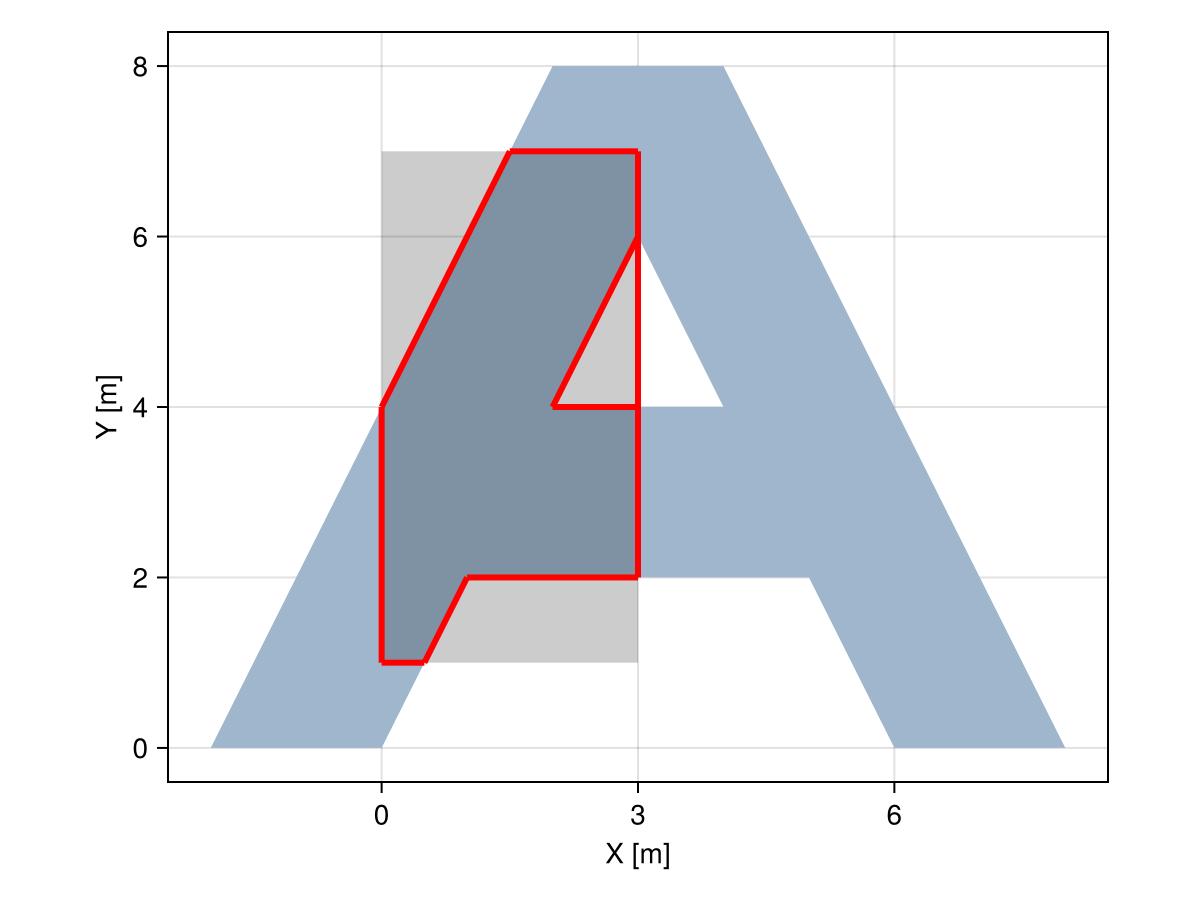
Greiner-Hormann
Meshes.GreinerHormannClipping — Type
GreinerHormannClipping(operation=:∩)The Greiner-Hormann algorithm for clipping polygons, with the extension of Foster et al. for degenerate intersections. Optionally, specify the type of clipping operation to perform, which can be :∩, :∪, or :-.
References
Greiner, G. & Hormann, K. 1998. Efficient clipping of arbitrary polygons
Foster, E. L., Hormann, K. & Popa, R. T. 2019. Clipping simple polygons with degenerate intersections
Notes
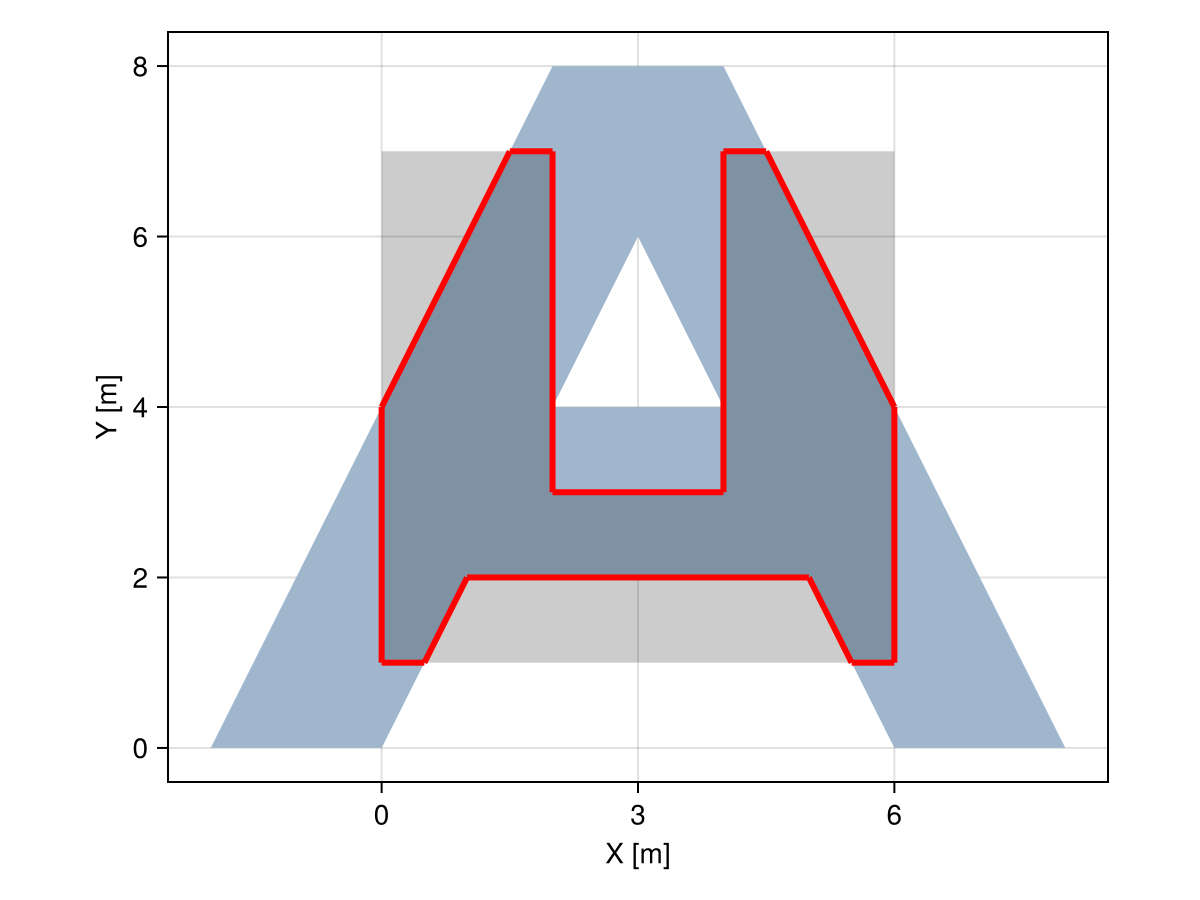
In contrast to SutherlandHodgmanClipping, the clipping geometry can be non-convex, and vertices of one geometry can lie on edges of the other geometry.
# polygon to clip
outer = Ring((8, 0), (4, 8), (2, 8), (-2, 0), (0, 0), (1, 2), (5, 2), (6, 0))
inner = Ring((4, 4), (2, 4), (3, 6))
poly = Pgon([outer, inner])

# non-convex clipping polygon
other = Pgon((0, 1), (6, 1), (6, 7), (4, 7), (4, 3), (2, 3), (2, 7), (0, 7))

# clipped polygon
clipped = clip(poly, other, GreinerHormannClipping())

viz(poly)
viz!(other, color = "black", alpha = 0.2)
viz!(boundary(clipped), color = "red", segmentsize = 3)
Mke.current_figure()